eDraft Screenwriting
The writer never formats.
The story is yours.
A focused workspace for your screenplay. Automatic formatting, thoughtful tools — entirely your work.
Available in your browser. No account required.
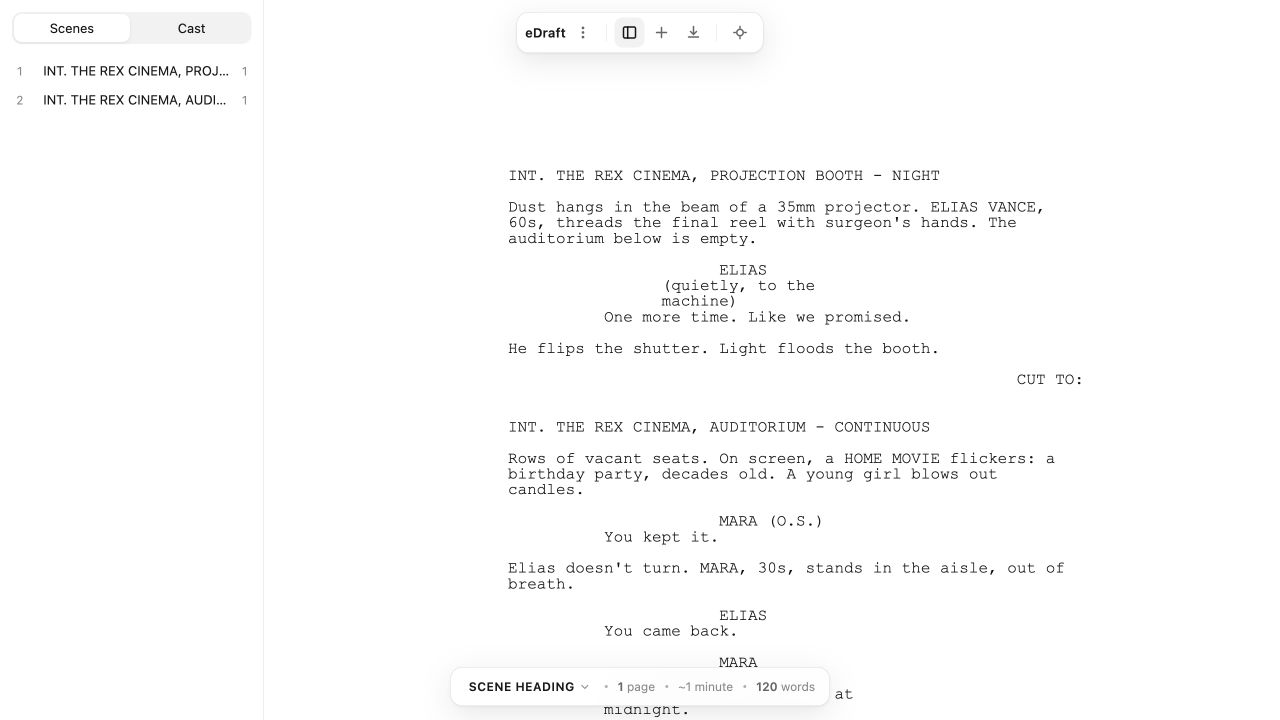
Made for screenwriting
Everything in its place.
Including your focus.
From the first scene heading to the final line, eDraft takes care of the structure so you can keep writing.
Screenplay formatting
Scene headings, action, character cues, and dialogue are formatted as you write. Page breaks are handled for you.
Learn moreYour story at a glance
Move between scenes and find your characters in the side panel. Keep the bigger picture close to the page.
Learn moreKeep your hands on the keys
Use Tab and Return to move through screenplay elements, with character suggestions and shortcuts within reach.
Learn moreFormats
Bring your work with you.
Start something new or continue an existing draft. Save a file you own, exchange scripts, and share pages when you’re ready.
Explore formatseDraft
.draft
Save your screenplay in eDraft’s own document format.
Final Draft
.fdx
Import and export supported FDX screenplay content.
Fountain
.fountain
Move your screenplay between tools as readable plain text.
Export formatted pages for reading and sharing.
The page
It looks like a screenplay.
Because it is one.
Scene headings, cues, and dialogue set in Courier to spec, paginated by the engine — never by the screen.
Margins and indents to spec.
Nothing to set, nothing to nudge.
A page count you can trust.
A page is a minute of screen time. The engine keeps your clock honest.
INT. THE REX CINEMA, PROJECTION BOOTH - NIGHT
Dust hangs in the beam of a 35mm projector. ELIAS VANCE, 60s, threads the final reel with surgeon's hands. The auditorium below is empty.
ELIAS
(quietly, to the machine)
One more time. Like we promised.
He flips the shutter. Light floods the booth.
CUT TO:
The math of movies
One page.
One minute.
The oldest contract in Hollywood — kept by the engine,
not by your patience.
Private by design
Your work stays with you.
Your screenplay is personal. The browser editor works locally,
without uploading your writing to an eDraft server.
No account to create.
Open the editor and get straight to your screenplay.
No tracking in the editor.
Your writing is processed on your device.
Files you control.
Save a copy locally. Choose how and when to share it.
Questions
Questions, answered.
Do I need an account?
No. Open the editor and start writing. eDraft asks for no name, no email, and no sign-in.
Where is my screenplay saved?
The browser editor keeps a working copy in local browser storage. Save or export your screenplay to keep a separate file on your device. Clearing browser data can remove the working copy, so save a file regularly.
Is my writing private?
Yes. The editor works on your device. Your screenplay is never uploaded to an eDraft server, and the editor carries no analytics and no tracking.
Can I open a script from another application?
Yes. Import Fountain text and supported Final Draft (.fdx) files. FDX support covers a defined subset of the format — review the import warnings, and keep your original file when moving a production script.
How do I share my screenplay?
Export a PDF for reading, a Fountain file for plain-text exchange, or a supported FDX file for another screenwriting application. You choose where the file is saved and who receives it.
More answers live in the Help Center.

Your next draft starts here.
Open eDraft and make yourself at home.
Start writing